Data Loss Prevention (DLP) for Small Teams: Stop Data Leaks on Windows
When people hear "data breach" they picture hackers. But for most small and mid-size businesses, the data that walks out the door leaves through everyday channels: a file copied to a USB stick, a customer list pasted into a personal email, a document uploaded to someone's own cloud drive before they resign. Data Loss Prevention (DLP) is simply the practice of watching those channels and stopping the leaks — and you do not need an enterprise budget to do it.
Where company data actually leaks
Effective DLP starts with knowing the real exits. On a Windows PC, they are:
- USB and removable storage — the fastest way to move gigabytes off a machine with no trace.
- Clipboard and file copies — copying sensitive text or dragging files into a personal chat or drive.
- Web uploads and personal accounts — personal Gmail, WhatsApp Web, Google Drive, Dropbox.
- Printing — a printed customer list is a leak that leaves no digital copy behind.
- VPNs and proxies — used to bypass monitoring or exfiltrate data around your controls.
The controls that actually stop leaks
You do not need a dozen products. A focused set of controls covers the vast majority of real-world data loss:
1. Control removable storage
Make USB drives read-only (files can be read from a stick but not copied to it) or block them entirely, with per-employee exceptions for the people who genuinely need them. This one control closes the biggest hole.
2. Watch the copy, upload and print channels
Log clipboard copies of sensitive content, file-to-USB transfers, and print jobs, and raise an alert when something looks wrong — a bulk copy at 6pm on someone's last week, for example.
3. Block risky sites and detect VPNs
Block personal file-sharing and webmail on work machines where policy requires it, and detect when a VPN or proxy extension is switched on to route around your controls. (See our guide to blocking websites and apps on company computers.)
4. Keep an eye on what is happening
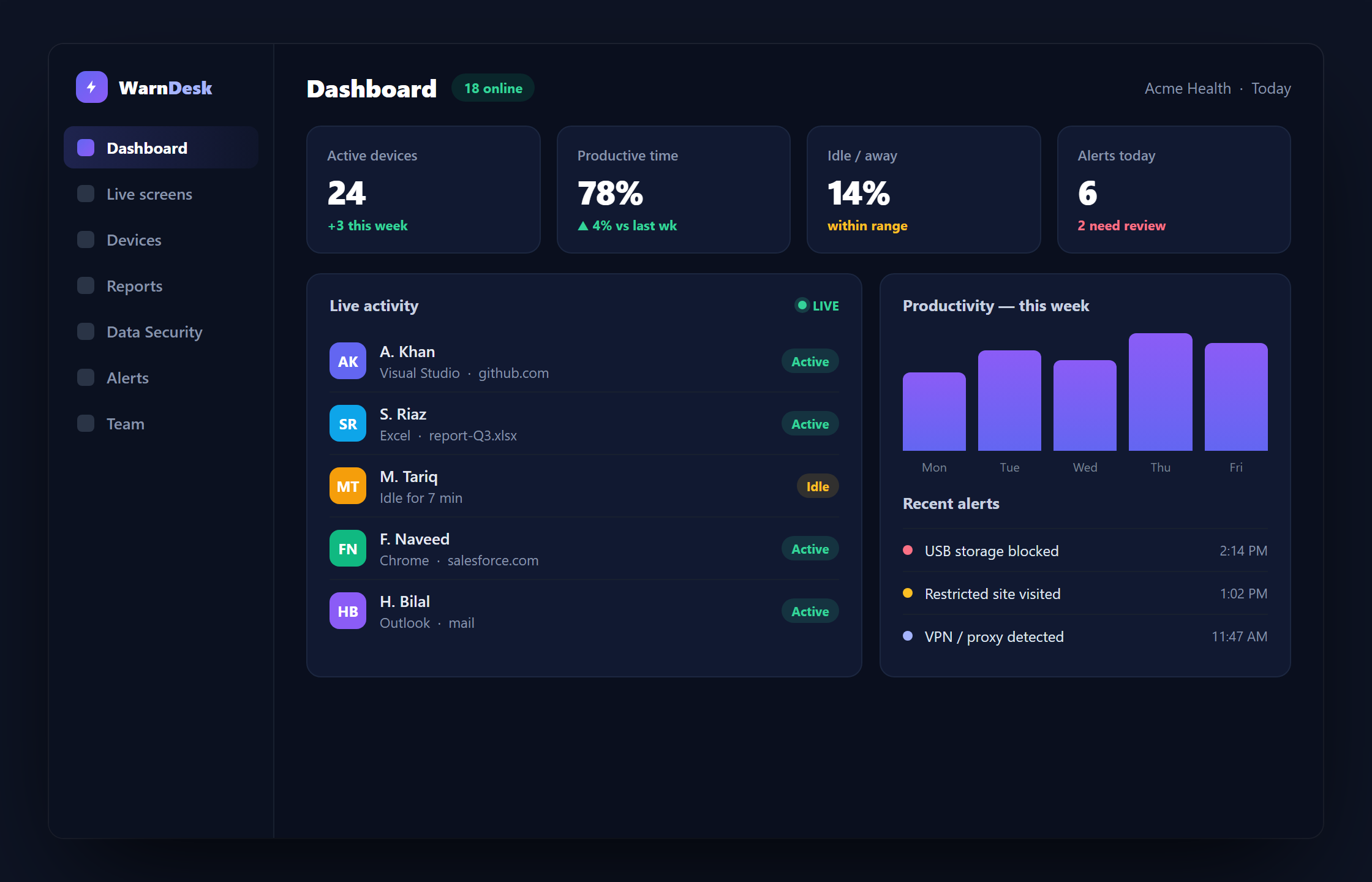
DLP works best next to visibility. Live screens, activity tracking and instant alerts turn "we think data left" into "we can see exactly what happened, when."
Roll it out without killing productivity
DLP fails when it is heavy-handed. Three rules keep it workable:
- Be transparent. Tell your team what is monitored and why. On-device notices and a clear policy build trust and are the right thing to do (and often a legal requirement) — see how to monitor employee computers legally and ethically.
- Start with alerts, not blocks. Watch first, understand your normal, then tighten. Block the few things that clearly should never happen.
- Use per-employee exceptions. Sales might need USB; finance might not. Fine-grained policy avoids blanket rules that generate workarounds.
DLP without the enterprise price tag
WarnDesk builds these controls into a single Windows agent: USB and storage control, clipboard, file-to-USB and print monitoring, website and app blocking, VPN and proxy detection, live screens and instant alerts — with every feature on every plan and mandatory 2FA, encryption and audit logging on the back end. If you are comparing with heavier enterprise suites, see WarnDesk vs Teramind for an honest look at where each fits.
You can install it in minutes on Windows 10 and 11, or read the complete guide to employee monitoring software to see how DLP fits alongside productivity and oversight.